

Hawaii is a U.S. state, and that single fact decides the eSIM question for most visitors before price or coverage ever come into it — if your everyday plan is American, you likely need to buy nothing at all. What actually matters here is not which eSIM is cheapest, but where the signal disappears once you leave the resort corridor, and what changed in 2025 that makes those dead zones less dangerous than they used to be.
Check Your Plan Before You Check Prices
A U.S. plan from any of the 50 states treats Hawaii as domestic — no roaming, no add-on, no eSIM. Canadian carriers usually sell a daily or weekly U.S. roaming pass that covers Hawaii under the same domestic-U.S. umbrella; check that before assuming you need a separate eSIM. Everyone else — Europe, Australia, Asia, Latin America — is roaming into the U.S. network exactly as they would on the mainland, and an eSIM is usually the cheaper option next to a carrier’s day-rate roaming pass.
Where the Signal Actually Drops Out
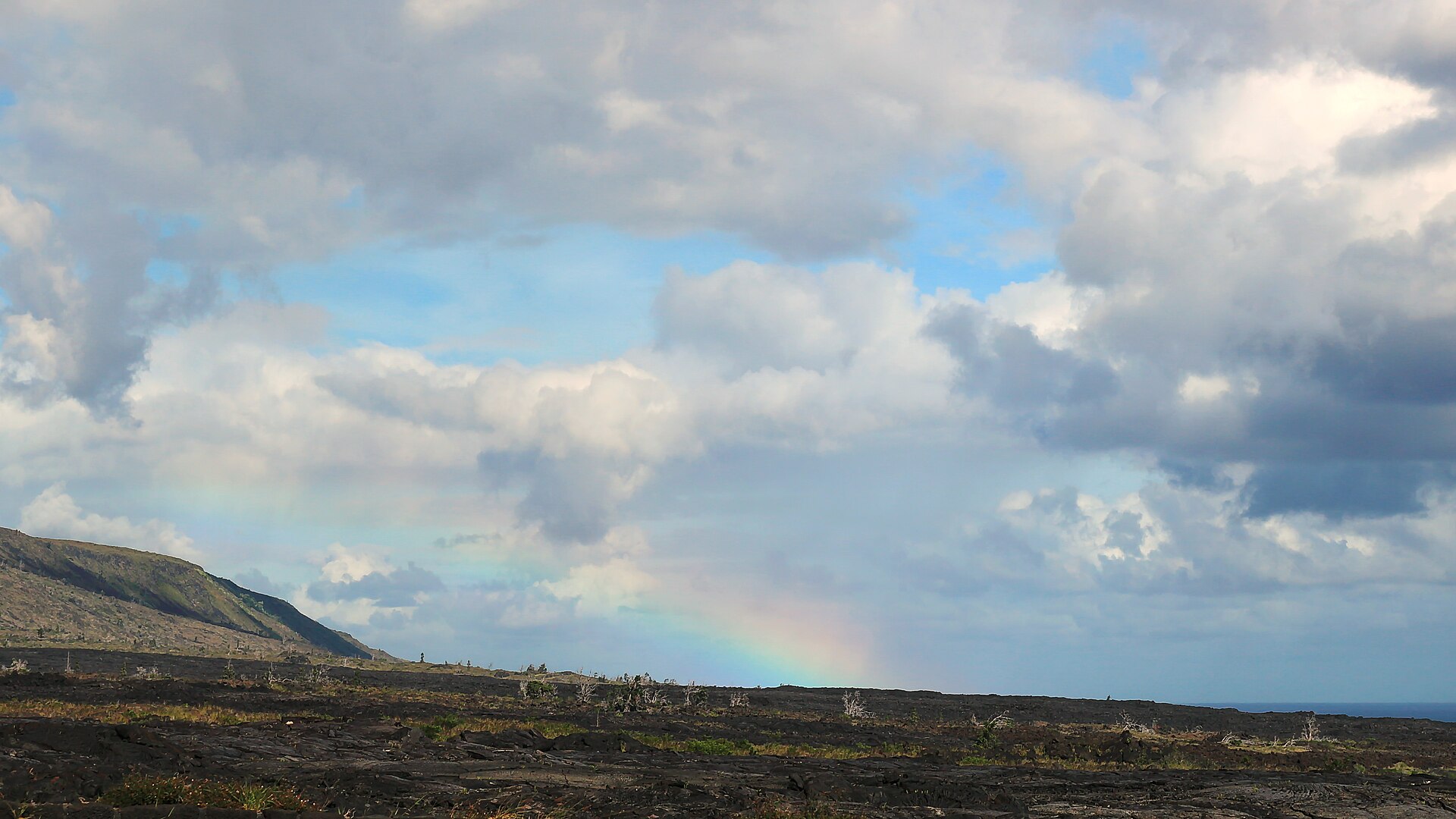
Coverage in Hawaii is not uniform, and the gaps follow the roads rather than the islands. On the Big Island, the Pi’ilani Highway section of the back road from Hana — through Kaupo toward Ulupalakua — has essentially no native coverage from any major carrier, and the Haleakala summit area is patchy and carrier-dependent; if you hold a sunrise permit, screenshot the reservation, because you will not be able to load it at the gate at 4 a.m. On Kauai, the main highway ring holds up, but the Na Pali coast, the Kalalau Trail and the Waimea Canyon interior drop off fast — there is no road around the island’s north-west, and the coverage map follows that gap exactly. O’ahu is the best-covered island by a wide margin.

The 2025 Fix: A Satellite Safety Net Under the Dead Zones
T-Mobile’s T-Satellite service, built on SpaceX’s Starlink direct-to-cell satellites, launched commercially in July 2025 and explicitly covers Hawaii alongside the continental U.S., Puerto Rico and parts of southern Alaska. As of early 2026 the constellation has grown past 650 satellites, and the service is live in 22 countries. It costs $10 a month as an add-on, or comes included at no extra cost on T-Mobile’s Experience Beyond and Go5G Next plans — and by October 2025 it had expanded from text-only to carrying data as well. There is no special handset and no antenna to aim: about 60 recent phone models, mostly newer Samsung, Motorola and iPhone devices, hand over to the satellite layer automatically the moment terrestrial signal drops.
This does not replace an eSIM for a non-U.S. visitor — T-Satellite is a T-Mobile customer benefit, not a general-purpose data source — but for anyone already on a compatible U.S. plan, it turns Haleakala’s summit road and the Hana back route from a genuine safety concern into a minor inconvenience.
Two Traps Worth Pre-Empting
First: an eSIM does not fix Hawaii’s biggest connectivity problem for renters, which is that rental agreements often explicitly discourage the Hana back road and the Saddle Road precisely because a breakdown there is hard to reach — no data plan changes that risk calculus, only preparation does. Second: hotel and resort Wi-Fi across the islands is frequently throttled or metered per device despite being advertised as free, so travelers who plan to lean on Wi-Fi instead of buying data often find themselves burning their eSIM allowance anyway once they’re two days in.
If You Do Need an eSIM: What the Two Big Options Actually Cost
- Holafly — unlimited data only, priced from about $6.90 for 1 day up to $75.90 for 30 days; no daily cap to manage, but no capped, cheaper tier if you only need a little data.
- Airalo — capped data packages from 1–50 GB alongside unlimited options; unlimited plans start around $11 for 3 days and run to about $72 for a month, generally undercutting Holafly if you don’t need unlimited.
Neither is meaningfully better; the choice is really about whether you’d rather pay for certainty (Holafly’s flat unlimited rate) or pay for exactly what you’ll use (Airalo’s tiered GB packages). Prices checked against operator listings in September 2026.
A Quick Cost Comparison for a Typical 7-Day Trip
For a one-week visit, a non-U.S. traveler is choosing between roughly three price points: a carrier’s day-rate roaming pass (often $10–$15 a day, so $70–$105 for the week), Holafly’s flat unlimited rate at roughly $50–$55 for 7 days, or an Airalo capped package sized to actual use, which for light users — maps, messaging, some social media — can come in under $30 for the same week. The capped option only wins if you genuinely track your usage; if you’d rather not think about it again after installing it, the unlimited flat rate is worth the premium.
Where the Money Isn’t Worth Spending
Buying a 30-day unlimited eSIM for a 5-day trip is the most common overspend in this category — match the plan length to your actual trip, not a round number. And if you’re already a T-Mobile customer on a T-Satellite-eligible plan, layering a paid eSIM on top for basic texting-and-maps coverage in the dead zones above is money spent on a problem the satellite layer already solves for free, or for the $10 a month you may already be paying.
Setup Notes Specific to Hawaii
Install the eSIM over hotel or airport Wi-Fi before you head out toward the volcanoes or the north shores — activation needs a working data connection the first time. Download offline maps for Haleakala National Park, the Road to Hana, and Waimea Canyon before you lose signal, not after. If your eSIM sells data in 24-hour blocks, check which time zone the provider counts from, since a plan that renews at midnight UTC can run out mid-afternoon Hawaii time.
What T-Satellite Can and Can’t Do Yet
It’s worth being precise about what the $10-a-month satellite layer actually delivers, because the marketing makes it sound more capable than it is. Since October 2025 it carries data as well as texts, location sharing and picture messages, but the data rate is nowhere near a normal LTE connection — think slow enough that a map will load but a video call won’t. It’s a safety and basic-connectivity layer for the Hana back road and the Haleakala summit, not a substitute for real coverage if you plan to work from a beach in Hanalei. Treat it as insurance against being completely unreachable, not as your primary data source for the trip.

Frequently Asked Questions
Does T-Satellite work on every phone? No — only around 60 mostly recent Samsung, Motorola and iPhone models support it as of early 2026, and the phone needs a clear view of open sky, not indoor or under tree canopy.
Can I use a Hawaii eSIM for calls, not just data? Most travel eSIMs are data-only; voice calls route over VoIP apps like WhatsApp or FaceTime once you have a data connection, which works fine anywhere you have signal.
Is it cheaper to just buy a U.S. prepaid SIM at the airport instead of an eSIM? Sometimes, if your phone is unlocked and you’re staying two weeks or more — a physical prepaid SIM from a U.S. carrier can undercut both Holafly and Airalo on a per-day basis at that length, at the cost of losing your home number for texts during the trip.
The Short Version
On a U.S. plan: buy nothing. On a Canadian plan: check your carrier’s U.S. roaming pass first. Everyone else: an eSIM is worth it — Airalo if you know your GB usage, Holafly if you’d rather not think about it — and either way, the real Hawaii-specific planning is around where the Big Island and Kauai backroads drop signal, not which SIM you buy. For dead zones and setup elsewhere in the Pacific and Central America, see our guides to an eSIM for Bali and an eSIM for Guatemala.








Add comment